optmzer

v1.6 is out · free for Windows 10 and 11

See more in the dark.
Zoom in. Get more FPS.

optmzer gives Rust screen looks that light up dark corners, a zoom on one key, and a one-click FPS boost. Free, every change can be undone, and it never touches game files.

v1.6 · 1.3 MB · Check the file

optmzer
optmzer's FPS Boost tab: a PC check, Windows settings and Rust graphics looks
127 → 150

FPS in Rust with the Clean look, on our test PC

300%

colour, plus NVIDIA Digital Vibrance

2x zoom

while you hold one key, up to 4x

237 FPS

looking at a 30,000-entity base, Max FPS look

See what hides in the dark

Night lifts the dark parts of your screen, so walls, grass and anyone standing in the shadows show up. Drag the line to compare.

A dark spot in Rust without a look
The same spot with the Night look
Normal Night

Night: the most detail in dark areas, while black stays black and white stays white.

Screenshots can't capture screen looks, so these pictures use optmzer's own colour maths on a real night shot.

Dark Boost on a hold keyPer-game looks that switch by themselvesSaturation up to 300%NVIDIA Digital VibranceShare looks as codes

Zoom on one key

Hold Mouse 5 (or any key you pick) and the middle of your screen zooms in 2x. Let go and it's back. Set it anywhere from 1.5x to 4x.

  • Spot players on far roofs and hills
  • Check a base before you run in
  • Only works while Rust is in front
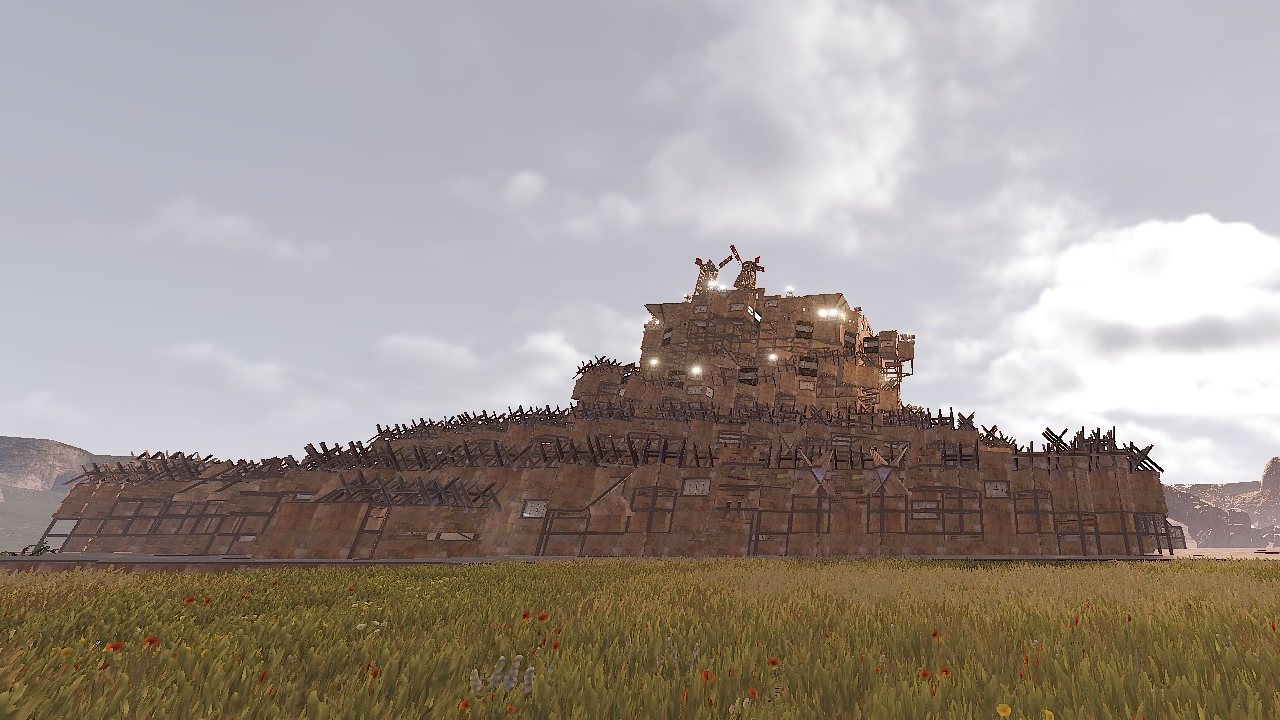
A big base in Rust without zoom
Normal
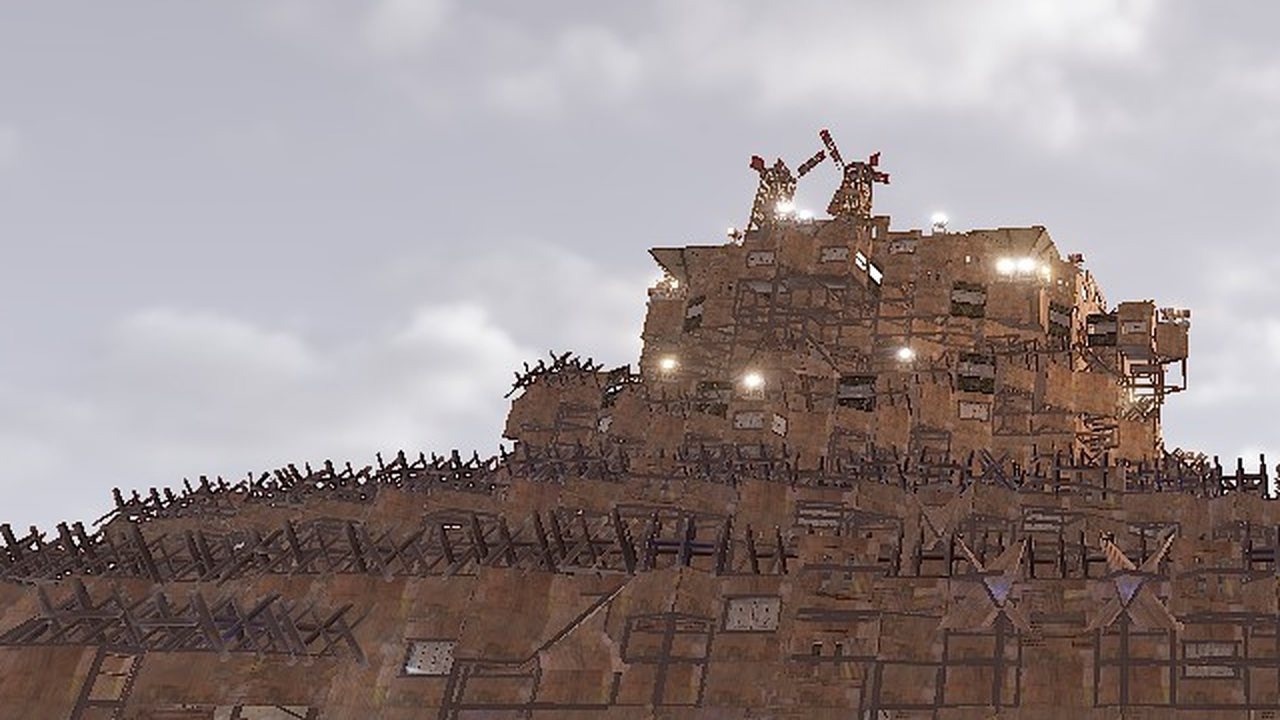
The same view zoomed in 2x
Holding zoom, 2x

Fair play: Zoom and Dark Boost only change your screen, not the game. Some servers don't allow them, so check the rules where you play.

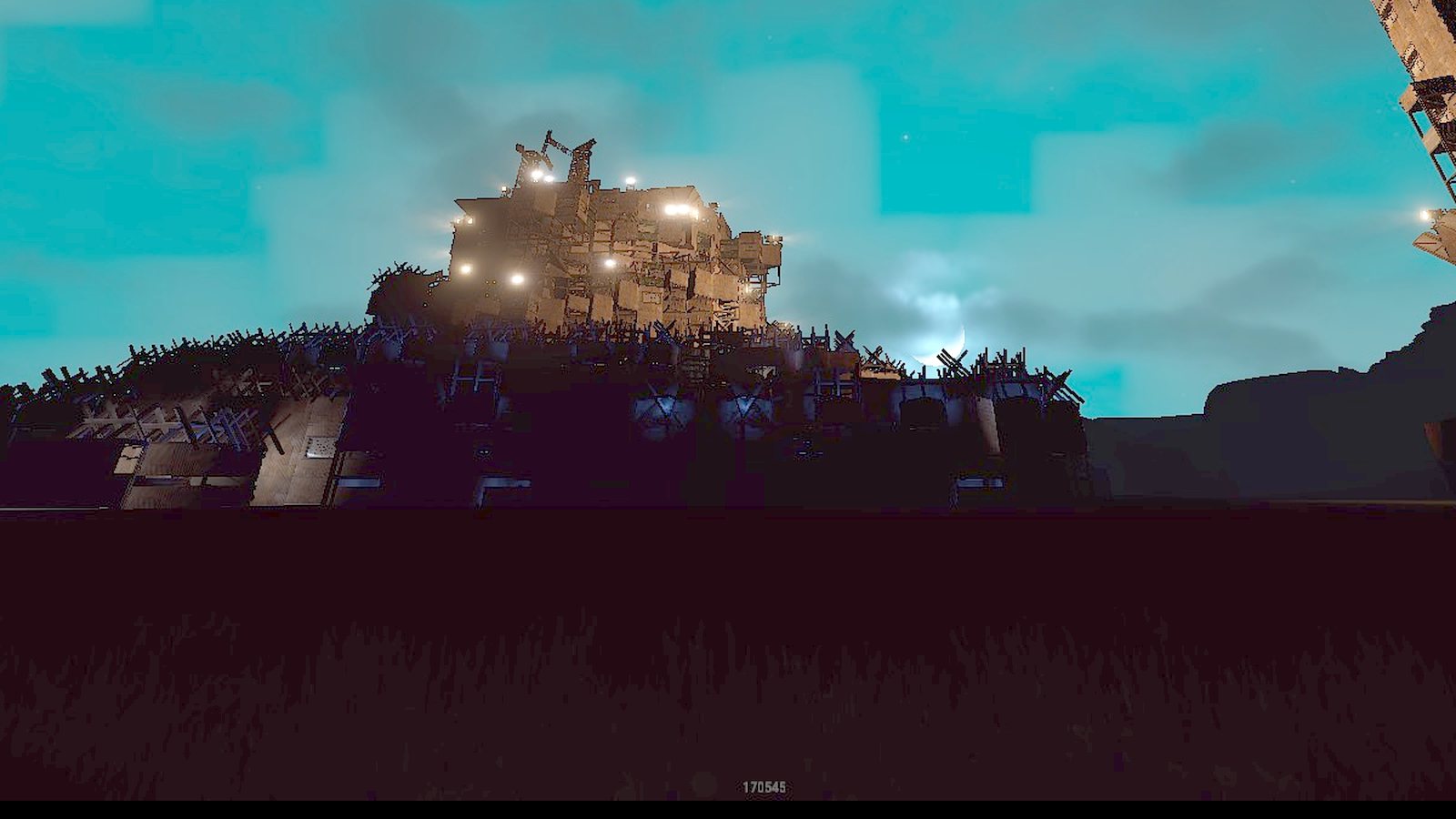
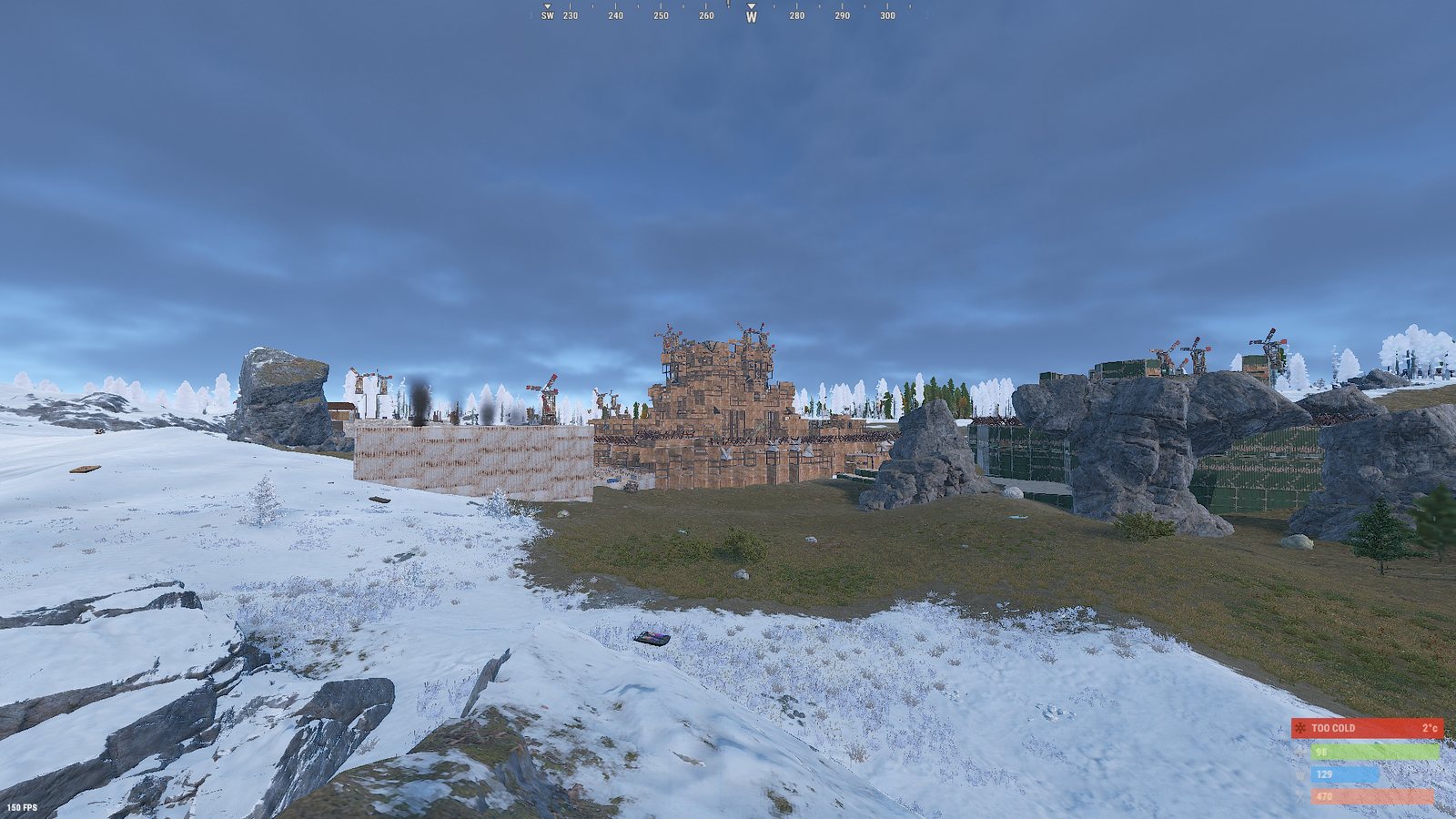
Smooth over a 30,000-entity base

A minicopter flight over one of the biggest bases you'll see, on the Max FPS look with OBS recording at the same time. The counter in the corner is real.

180 to 220 FPS while flying and recording · 237 FPS standing in front of it

Our test PC: Ryzen 7 7800X3D, RTX 5070, with Debloat and Trim background RAM done before starting Rust.

More FPS, same Rust

Drag the line. Left is Rust as it comes, right is the look you pick. Same spot, same PC (Ryzen 7 7800X3D, RTX 5070). Your numbers depend on your PC.

Rust with its normal settings
Rust with the Clean look
Normal · 127 FPS Clean · 150 FPS

Clean keeps Rust sharp: low grass, legs off, and things load in from far away without popping.

Everything in one small app

No account needed, and nothing runs in the background unless you turn it on.

FPS Boost

Checks your PC first and tells you what's holding it back, like RAM running below its rated speed or a 240 Hz screen set to 120. Then it tunes Windows for games and gives Rust three graphics looks.

  • Power plan, Game Mode, background recording
  • Rust settings backed up before every change
  • Measure your real FPS before and after
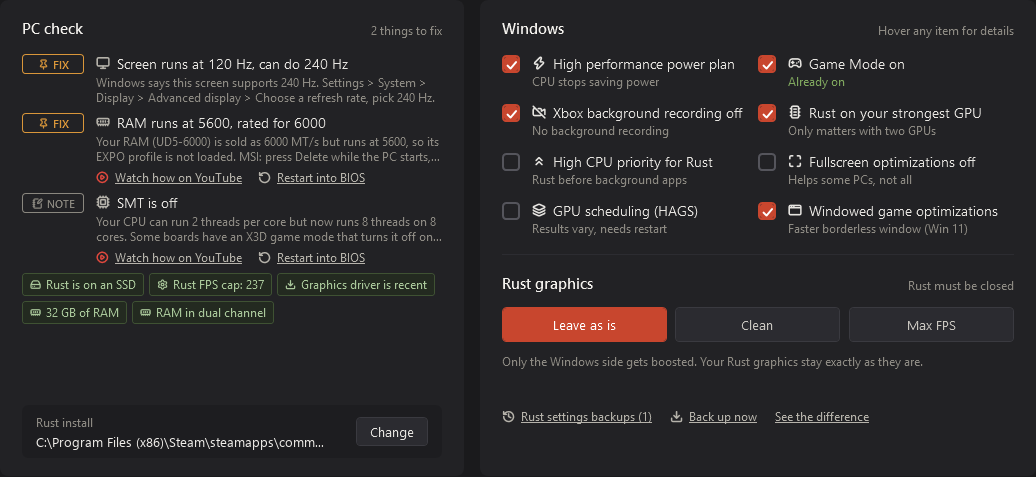
FPS Boost tab: PC check and Windows settings

Clean Up

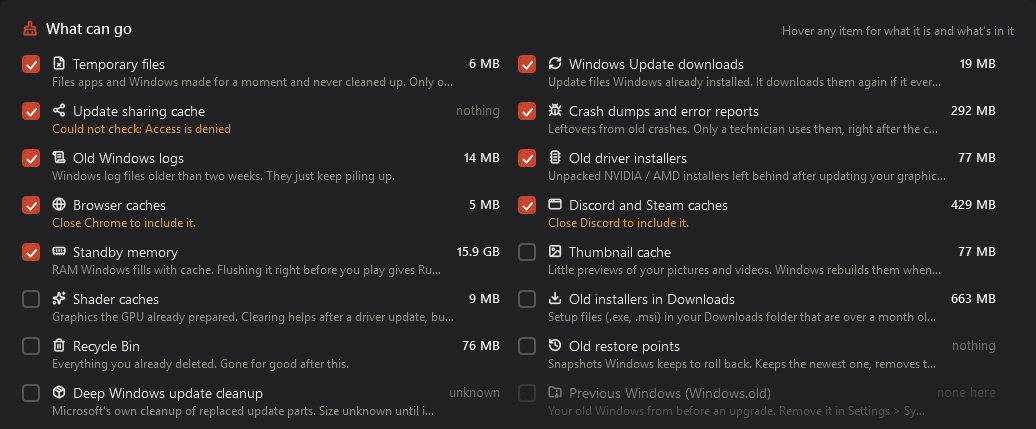
Shows what's taking space before you delete anything: temp files, old driver installers, crash dumps, update leftovers. Your own files, games and passwords are never touched.

Clean Up tab with sizes for each place

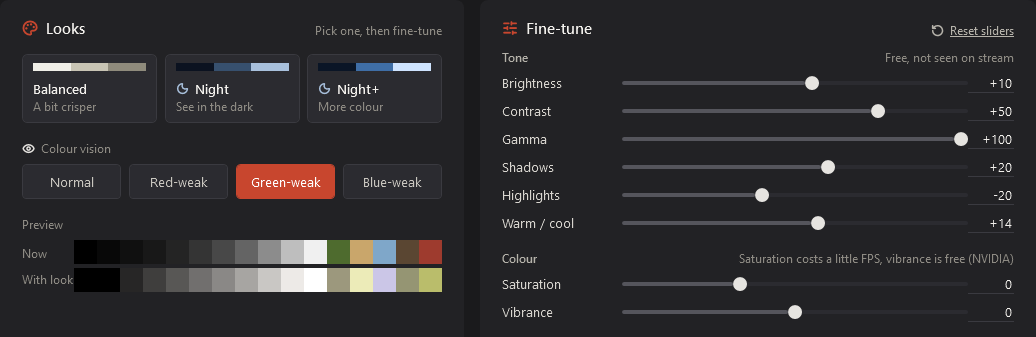
Colour

Screen looks that help you see in the dark, saturation up to 300% and NVIDIA Digital Vibrance. Set a different look for each game and it switches by itself.

Colour tab with looks and sliders

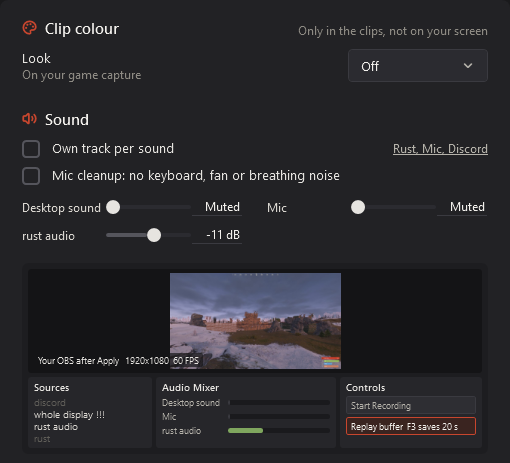
OBS clipping

Turns on the replay buffer, sets your clip key and quality, and splits game, mic and Discord into their own tracks. A small preview shows what OBS will look like before you apply.

OBS tab with clip colour, sound and a preview

Startup

Stop apps you don't need from starting with Windows. Anti-cheat, drivers and audio stay locked.

Bass Boost

A light bass lift for your headset, with an "explain it simply" mode that shows what it does.

Debloat

Turns off Windows extras you don't use. Undo brings every one of them back.

Is it safe?

optmzer changes Windows settings and settings files, the same ones you can change by hand. It never touches the game itself.

  • Never touches or injects into game files, so anti-cheat has nothing to see.
  • Every change is backed up first and undone with Restore everything.
  • Makes a Windows restore point before boosting, if you want one.
  • Updates come from inside the app and are checked against their fingerprint before they run.

Check the file yourself

The SHA-256 fingerprint of the current setup. Look it up on VirusTotal to see what every antivirus says.

30DD1E4F2BDA1CE4B647CF85970FCE88D1DF34D30812DFE52CD8139D2DC57E52

Windows may say "Windows protected your PC" because the app isn't signed yet. Click More info, then Run anyway.

Pricing

The basics are free forever. Pro adds the screen looks, zoom, bass and Windows tweaks, with 4 days free to try. No card needed for the trial.

Free

0 EUR

  • Clean Up
  • Startup apps
  • Rust graphics looks
  • OBS clipping setup
  • FPS check

30 days

4 EUR

4.00 a month

Most picked

90 days

10 EUR

3.33 a month · save 17%

180 days

18 EUR

3.00 a month · save 25%

Lifetime

39 EUR

pay once

Every Pro plan has everything: Colour looks, Zoom and Dark Boost, Bass Boost and the Windows tweaks, on top of the free parts. Plans add days on top of what you have left. Try it free for 4 days in the app, no card needed. Payments by Lemon Squeezy.

Questions

Can optmzer get me banned?

optmzer never touches, reads into or injects into game files, so anti-cheat has nothing to see. It changes Windows settings and Rust's own settings file, the same ones you can change by hand. Zoom and Dark Boost only change your screen, but some servers don't allow them, so check the rules where you play.

Can it break Windows?

Every change is backed up before it happens, and Restore everything puts it all back with one button. optmzer can also make a Windows restore point before boosting. It never deletes apps or your own files.

Is it free?

Clean Up, Startup, the Rust graphics looks, the OBS setup and the FPS check are free for good. Pro adds Colour looks, Zoom and Dark Boost, Bass Boost and the Windows tweaks, with 4 free days to try it.

I have a high-end PC. Do I need this?

Big PCs still lose frames to background apps, power settings and heavy graphics options. On our Ryzen 7 7800X3D and RTX 5070 test PC, the Clean look went from 127 to 150 FPS in the same spot. The FPS check measures your own numbers before and after.

Does it slow my PC down while it runs?

optmzer only runs while it's open. The Colour and Bass Boost helpers are tiny and only run when you turn them on.

Do I need an account?

No. You only need one for the Hub (friends, chat, sharing presets) and for Pro.

Why does Windows say "Windows protected your PC"?

optmzer isn't signed with a paid certificate yet, so Windows doesn't know it. Click More info, then Run anyway. You can check the file on VirusTotal with the fingerprint above.

How do I uninstall it?

Press Restore everything first if you want all changes undone, then remove optmzer in Windows Settings, Apps. Your backups stay in case you come back.

Creator program

Make your own code and earn free days, or apply as a creator for a real discount for your viewers and 25% of every sale.

Learn more

Share presets

Send your whole setup as one code: Rust settings, Colour look, zoom keys and OBS. Friends load it in one click.

Play with friends

Add friends, chat and swap presets in the Hub inside optmzer.

Get optmzer

Free. Installs in a few seconds and updates itself.

Download for Windows

v1.6 · Windows 10 and 11